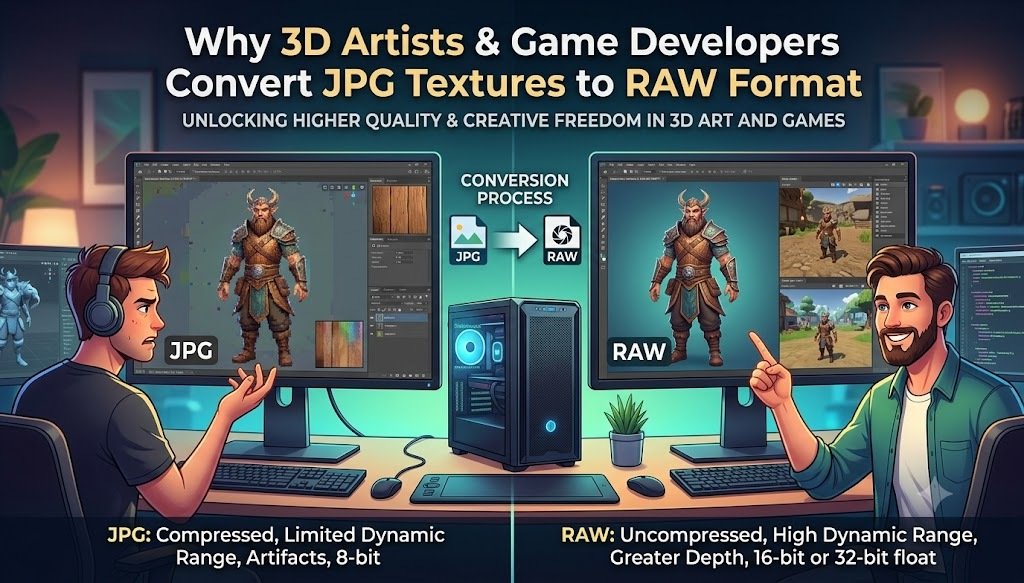
3D artists and game developers work with images in ways that are very different from everyday photography. A texture that looks perfectly fine as a JPG may need additional processing, color adjustments, or conversion before it becomes part of a 3D asset or game-development workflow.
This is one reason some artists and developers explore JPG to RAW conversion. RAW formats can be useful in workflows where greater control over image data, exposure, color, and processing is important.
However, there is an important technical point to understand: converting a JPG into a RAW-format file does not restore the original RAW camera data that was lost when the JPG was created. A converted file is essentially a RAW container holding the available JPG-derived pixel information.
So why would anyone convert a JPG texture to RAW?
In this guide, we'll explain how JPG and RAW differ, why 3D artists and game developers may use RAW-based workflows, when JPG to RAW conversion can be useful, and what limitations you should understand before converting your textures.
What Is a JPG Texture?
JPG, or JPEG, is one of the most commonly used image formats for digital images.
Because JPG uses lossy compression, it can significantly reduce file size while maintaining visually acceptable image quality. This makes it convenient for websites, photography, texture references, and many other applications.
A JPG texture might contain:
- Wood grain
- Concrete
- Metal
- Fabric
- Stone
- Brick
- Skin
- Painted surfaces
- Environmental details
- Reference photographs
For many 3D projects, JPG can work perfectly well as a texture format.
However, JPG compression permanently removes some image information. Once that information has been discarded, simply converting the JPG into another format cannot bring it back.
What Is RAW?
RAW is not one single universal image format. Instead, RAW refers to a family of formats that store image data with much less processing than typical consumer image formats.
Camera RAW files can contain data captured directly by an image sensor before many of the processing steps applied to a finished JPEG image.
RAW files are commonly used in professional photography because they provide greater flexibility during post-processing.
Depending on the specific RAW format and workflow, users may have more control over:
- Exposure
- White balance
- Highlights
- Shadows
- Color
- Tonal adjustments
- Image processing
For 3D artists, the useful concept is often not simply "RAW is better," but rather having more flexibility during texture preparation and image processing.
Why Would a 3D Artist Convert JPG Textures to RAW?
Why Would a 3D Artist Convert JPG textures to RAW? At first glance, converting a JPG into RAW may seem unnecessary. If the JPG already contains the texture, why change the format? The answer depends on the artist's workflow. Some artists use RAW-oriented image-processing tools and pipelines where a RAW-compatible file or high-bit-depth source can be easier to manipulate.
A converted file can also be useful as an intermediate asset when an application or workflow expects a particular format. However, it is important to remember that JPG-to-RAW conversion does not create new original sensor data. The conversion changes the file representation; it does not reverse JPEG compression.
Why Game Developers Care About Texture Data
Game developers need textures that work efficiently inside a real-time rendering pipeline.
A modern game may contain thousands of textures across the following:
- Characters
- Weapons
- Vehicles
- Buildings
- Environments
- Props
- UI elements
Texture quality and file size both matter.
Developers therefore need to balance the following:
Visual quality + memory usage + performance + compatibility
The final texture used by a game engine may not be JPG or RAW at all.
Depending on the engine and platform, textures can eventually be processed into GPU-friendly formats.
Therefore, RAW may be more useful during an asset preparation workflow than as the final runtime texture format.
JPG vs RAW for 3D Texture Work
JPG and RAW serve different purposes in image and texture workflows.
JPG uses lossy compression, which makes files smaller and convenient to store, share, and use as texture sources. However, some image information is discarded during compression, which can become noticeable when the image is heavily edited.
RAW formats generally preserve more original image information and provide greater flexibility during processing. This can be useful when adjusting exposure, color, highlights, shadows, and other properties before creating the final texture.
For 3D artists, JPG can be convenient when the texture is already prepared and doesn't require extensive adjustments. RAW or other high-quality source formats can be more useful during the texture-processing stage.
For game development, however, RAW is usually not the final runtime texture format. Textures are typically processed and optimized according to the game engine and target hardware.
The most important distinction is that a native camera RAW file and a JPG converted into a RAW-format file are not equivalent. Converting JPG to RAW does not restore the original camera data or reverse JPEG compression.
JPG to RAW Workflow for 3D Artists
A simplified workflow could look like this:
Step 1: Start With the Best Available Source
If possible, use the original camera RAW photograph rather than a compressed JPG.
If only a JPG is available, use the highest-quality version you can find.
Step 2: Convert the Image if Your Workflow Requires It
Use a suitable image conversion tool to create the required format.
Step 3: Process the Texture
Adjust the image according to your project requirements.
You might work on:
- Color correction
- Contrast
- Exposure
- Cropping
- Seam removal
- Surface details
- Texture normalization
Step 4: Create Texture Maps
Depending on the project, you may generate the following:
- Albedo/base color
- Normal map
- Roughness map
- Metallic map
- Height/displacement map
- Ambient occlusion
Step 5: Import Into Your 3D or Game Workflow
Finally, process the texture into the format required by your 3D application or game engine.
Does Converting JPG to RAW Improve Image Quality?
No, converting a JPG to RAW does not improve image quality.
This is probably the most important point in this article.
If a JPG has compression artifacts, converting it to RAW will not magically remove them.
If highlights were clipped when the original JPG was created, converting the JPG to RAW will not restore the missing highlight information.
If the original image was low resolution, conversion won't create genuine additional detail.
What conversion can do
It can:
- Change the file representation
- Make the file compatible with a particular workflow
- Provide an intermediate format for processing
- What conversion cannot do
It cannot:
- Recover lost JPEG data
- Restore original camera sensor information
- Recreate a native RAW photograph
- Automatically increase genuine image detail
How to Convert JPG to RAW
If your workflow specifically requires a RAW-format output, you can use an appropriate JPG to RAW converter.
The general process is:
- Select your JPG image.
- Upload it to the converter.
- Choose the required RAW output format.
- Start the conversion.
- Download the converted file.
- Open it in your intended software and verify compatibility.
Before converting a large batch of textures, test one image first. Different applications may support different RAW formats, so make sure the output format is compatible with your intended workflow.
Common Mistakes When Converting JPG Textures to RAW
Mistake 1: Expecting Original RAW Data
A JPG converted to RAW does not become the original camera RAW file.
Mistake 2: Assuming Conversion Improves Resolution
Changing formats doesn't increase the genuine resolution of an image.
Mistake 3: Using RAW as a Final Game Texture
RAW may be useful during asset preparation, but game engines typically process textures into formats optimized for runtime performance.
Mistake 4: Ignoring the Original Source
Whenever possible, use the original high-quality source instead of a heavily compressed JPG.
Frequently Asked Questions
Why do 3D artists convert JPG textures to RAW?
Some artists may convert JPG images to RAW-compatible formats to fit specialized image-processing or asset-preparation workflows.
However, the conversion does not restore information lost during JPEG compression.
Does JPG to RAW conversion improve texture quality?
No. Conversion alone does not improve the original image quality or restore lost JPEG data.
Can a converted JPG become a true camera RAW file?
No. A JPG converted to a RAW-type format cannot recreate the original sensor data from a camera.
Is RAW better than JPG for texture creation?
A native RAW source can provide greater processing flexibility, especially when starting from photographs.
However, whether RAW is better depends on the particular texture workflow and software.
Do game engines use RAW textures?
RAW may be used during certain asset-processing workflows, but the final texture used at runtime is generally processed into a format appropriate for the game engine and target hardware.
Should I convert every JPG texture to RAW?
No. Convert JPG textures to RAW only when your workflow or software specifically benefits from the conversion.
Can I convert JPG to RAW online?
Depending on the RAW format supported by the converter, online conversion may be possible. Always verify that the output is compatible with the application you plan to use.